

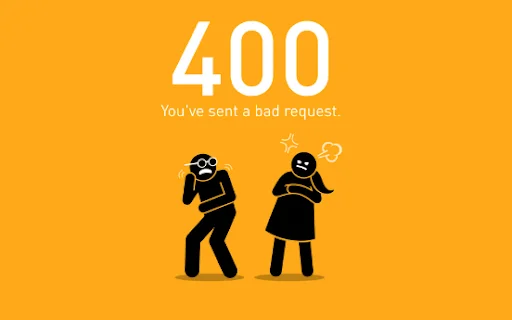
A 400 status code means the server cannot process your request because it is invalid, malformed or incorrectly structured. This usually happens when the browser sends incorrect data, a broken URL or improperly formatted request details.
In simple terms:
Your browser or app sends something the server cannot understand, so the request gets rejected.
You may see this error written as:
- 400 bad request
- 400 error
- HTTP error 400
- Status code HTTP 400
- 400 HTTP status
Although the wording may vary, they all mean the same thing: the request is invalid.
Why Does the 400 Status Code Matter?
The 400 status code is important because it directly affects how users interact with a website and how systems process requests.
Here’s why it matters:
- It helps identify issues with invalid URLs or malformed requests
- It prevents failed actions like logins, payments or form submissions
- It improves website usability and trust
- It supports better SEO by reducing crawl errors
In short: fixing a 400 error ensures a smooth and reliable user experience.
What Causes a 400 Status Code Error?
A status code 400 happens when the server receives a request that is incomplete, invalid or incorrectly formatted.
1. Invalid URL or Typing Errors
A badly structured URL is one of the most common causes of a 400 bad request.
Examples include:
- Misspelled URLs
- Missing or incorrect query parameters
- Unsafe characters like $, [, ] or |
- Improper URL encoding
Even a small mistake can result in a 400 response code.
2. Corrupted Cache and Cookies
Stored browser data can become outdated or corrupted over time.
This may cause:
- Incorrect request data being sent
- Login or session failures
- Form submission errors
Quick Tip: If a website works in incognito mode but not in normal mode, your cache or cookies are likely the issue.

3. DNS (Domain Name System) Cache Issues
Outdated DNS (Domain Name System) records may cause the browser to send requests to the wrong destination.
This can lead to:
- Invalid request routing
- Failed server communication
- HTTP 400 responses
Flushing the DNS cache often resolves this issue.
4. File Size Too Large (400 -150 Error)
This occurs when the request exceeds server limits.
Common scenarios:
- Uploading large images or files
- Sending oversized request payloads
Servers reject these requests to maintain performance and security.
5. Browser Extensions Interference
Sometimes the issue isn’t the user, it’s the browser extensions.
Extensions can:
- Modify request headers
- Inject scripts
- Block or alter requests
How to test:
Disable all extensions or use incognito mode.
If the error disappears, extensions are the cause.
6. Network or Internet Connection Issues
Unstable internet connections may interrupt request transmission, leading to a return code 400.
This may result in:
- Incomplete requests
- Corrupted data packets
- Server rejection
Quick check:
Switch to mobile data (3G/4G/5G).If it works, your internet connection is the problem.
7. Misconfigured Requests or APIs
For developers, a 400 error often occurs due to incorrect request formatting.
Common issues:
- Invalid JSON structure
- Missing required parameters
- Incorrect request headers
- Wrong API endpoint
APIs reject requests that don’t follow proper specifications.
Common Types of 400 Status Code Errors
400 Bad Request
This is the most common HTTP 400. It means the server cannot process the request due to:
- Invalid syntax
- Incorrect input
- Malformed request structure
AxiosError: Request Failed with Status Code 400
This error appears in applications using APIs (especially JavaScript frameworks).
It usually happens when:
- Required fields are missing
- Data types are incorrect
- Request format is invalid
Common in API integrations and web apps.
App-Based Errors (e.g., Snapchat Bad Request)
Some apps display 400 errors in their own way.
This can be caused by:
- Expired sessions
- Corrupted app cache
- Network issues
These are still client-side request errors, just shown differently.
How the 400 HTTP Status Code Works
The 400 status code is part of the client error HTTP (4xx) category, meaning the problem comes from the request, not the server.
When a request is sent, it includes:
- URL
- Headers
- Body data
If any part is malformed, the server returns a 400 error code.
400 Status Code vs Other 4xx Errors
| Code | Meaning | Explanation |
|---|---|---|
| 400 | Bad Request | Invalid or malformed request |
| 401 | Unauthorized | Authentication required |
| 403 | Forbidden | Access denied |
| 404 | Not Found | Resource missing |
| 413 | Payload Too Large | Request too large |
| 429 | Too Many Requests | Rate limit exceeded |
The 400 status code specifically refers to invalid input, not missing pages.
Quick Fix Checklist for 400 Status Code (Fast Solutions)
If you need a fast solution, try these steps first before diving into advanced fixes:
- Refresh the page
- Double-check the URL for errors
- Remove special characters
- Clear browser cache and cookies
- Open the page in incognito mode
- Disable browser extensions
- Switch to a different browser or device
These quick steps resolve most 400 bad request errors within minutes.
Does a 400 Status Code Affect SEO?
Yes, the 400 status code can impact SEO indirectly by disrupting user experience and preventing proper crawling.
- SEO Impact
- Reduces crawl efficiency
- Causes broken user journeys
- Increases bounce rates
Frequent 400 status code errors can reduce crawl efficiency, interrupt user journeys and negatively impact your website’s SEO performance. As search engines evolve with AI-driven results, it’s important to understand how technical issues affect visibility. Explore how AI is changing search results and learn about AI tools for better SEO performance.
User Experience Impact
A 400 bad request during key actions like checkout or login can:
- Frustrate users
- Reduce conversions
- Damage brand trust
Learn more about cost to hire a digital marketing agency in Canada
Need Help Fixing 400 Errors on Your Website?
Struggling with 400 errors, broken forms or API issues? Let Digital Marketing 401 fix them fast and keep your website running smoothly.
Conclusion
The 400 status code is a common but manageable issue. Whether it’s a typo in a URL, corrupted browser data or an invalid API request, the solution is usually straightforward once you identify the cause.
By understanding how 400 http status errors work and following proper troubleshooting steps, you can quickly resolve issues, improve website performance and create a smoother experience for your users.
Want to Learn More About HTTP Errors & SEO Fixes?
Understanding errors like the 400 error code is just the beginning. Learn how to improve your website performance, fix technical SEO issues and boost rankings.
FAQs About 400 Status Code
1. What Does 400 Bad Requests Mean?
A 400 bad request means the server cannot understand your request due to invalid input, such as a broken URL, incorrect data or malformed syntax. At Digital Marketing 401, we often see small errors in how requests are sent.
2. How do I fix my 400 status code?
To fix a 400 status code, check your URL for mistakes, clear your browser cache and cookies and try again. If the issue continues, Digital Marketing 401 recommends reviewing form inputs or API request data.
3. What causes a 400 status code?
A 400 status code is usually caused by invalid URLs, corrupted browser data, large file uploads or incorrect request formatting. In many cases, it’s a client-side issue that can be fixed quickly.
4. Is a 400 error temporary?
A 400 error can be temporary if it’s caused by cache, cookies or network issues. However, if the request itself is incorrect, the error will continue until the problem is fixed.
5. What are 400 and 404 status codes?
A 400 status code means the request is invalid, while a 404 status code means the page cannot be found. Both are client-side errors, but they happen for different reasons.
6. Is a 400 error my fault or the server’s?
A 400 error usually happens because of something sent from your side, such as an incorrect URL, outdated browser data, or invalid input.
Recent Blogs

Toronto Digital Marketing Agency That Drives Leads
Choose a Toronto digital marketing agency built to rank higher, generate qualified leads, and turn every marketing dollar into measurable growth now.

How to Get More Google Reviews for Your Business
Learn how to get more Google reviews with a proven request process, better timing, and follow-up that builds local trust, calls, and sales consistently.

Dental Clinic SEO Case Study That Drives Patients
See how a focused dental clinic SEO case study turns local visibility into calls, booked appointments, and measurable new-patient growth for clinics today.