
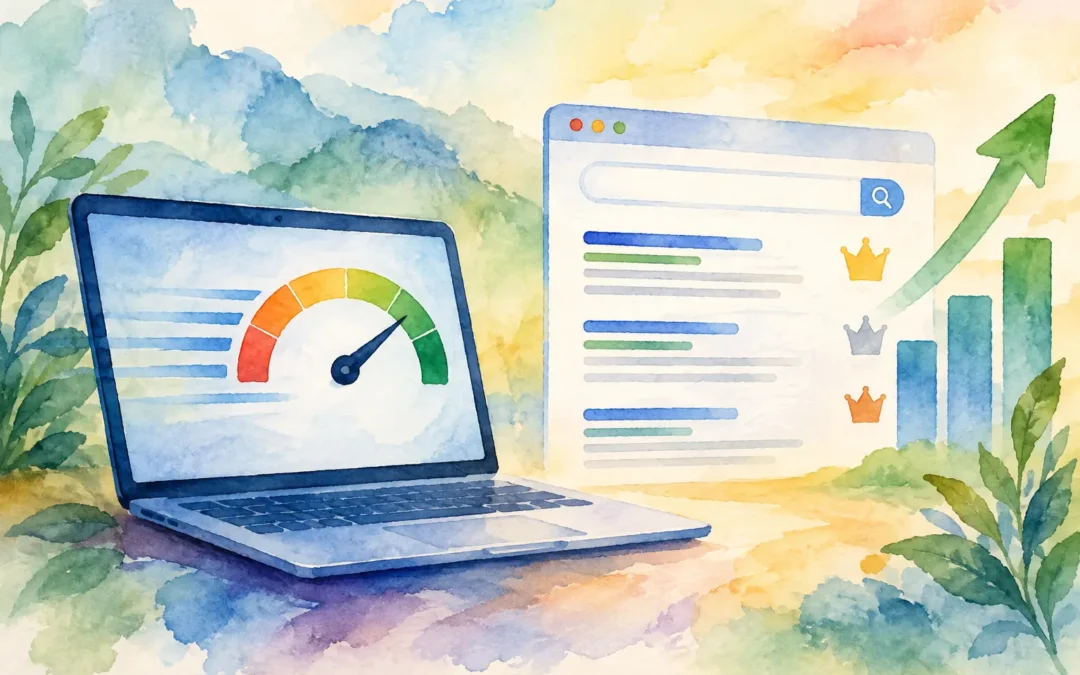
A potential customer clicks your Google result, waits while a blank page loads, and returns to the search results to call a competitor. That is the real business cost behind the question, does website speed affect rankings? Yes, website speed can affect rankings, but its bigger impact often comes from what it does to the people who reach your site: fewer inquiries, weaker engagement, abandoned carts, and wasted ad spend.
For businesses competing in local search, eCommerce, automotive, dental, manufacturing, and other lead-driven markets, a slow website creates friction at the exact moment a prospect is ready to act. Speed will not rescue weak SEO, poor content, or an irrelevant page. But when two sites are similarly useful, the faster and more stable experience is better positioned to earn visibility and convert that visibility into revenue.
Does Website Speed Affect Rankings Directly?
Google has confirmed that page experience and speed-related signals are part of its ranking systems. That does not mean a site with the fastest score automatically ranks first. Search rankings are built from many signals, including relevance to the query, content quality, backlinks, local authority, crawlability, user intent, and technical health.
Speed is best understood as a competitive factor rather than a shortcut. A slow site may not fall from page one to page five overnight. Yet it can lose ground when competitors offer comparable information, stronger on-page experiences, and pages that load quickly on mobile devices.
The effect is especially noticeable in crowded local markets. If a homeowner searches for a contractor, a patient looks for an emergency dentist, or a buyer compares used vehicles, they are not likely to wait around for an outdated website to respond. Google wants to send searchers to pages that satisfy the search quickly and reliably. Your site should make that an easy choice.
The SEO Signals That Make Speed Matter
Google uses real-world performance data through Core Web Vitals. These metrics focus less on whether a page technically loads and more on whether it feels ready and usable to an actual visitor.
Largest Contentful Paint: How Fast the Main Content Appears
Largest Contentful Paint, often called LCP, measures how long it takes for the largest visible element on the page to load. This may be a hero image, headline block, banner, or product image. When that primary content appears late, visitors see a page that feels unfinished.
For a service business, the issue is often an oversized hero image or video banner. For an online store, it may be unoptimized product imagery. A striking first impression matters, but a massive image file that delays the page by several seconds is not a good trade-off. High-quality visuals should support conversion, not block it.
Interaction to Next Paint: How Quickly the Site Responds
Interaction to Next Paint, or INP, evaluates how responsive a page is after a user taps, clicks, opens a menu, filters products, or submits a form. A website can look loaded while still being frustrating to use because scripts are tying up the browser.
This is where bloated page builders, excessive tracking tags, chat widgets, pop-ups, sliders, and poorly configured plugins can create problems. Every tool may seem useful in isolation. Together, they can turn a lead-generating website into a slow, unresponsive experience.
Cumulative Layout Shift: Whether the Page Moves Around
Cumulative Layout Shift, known as CLS, measures visual stability. If a visitor tries to tap a phone number or “Request a Quote” button and the page shifts because an ad, image, font, or banner loads late, that is a poor experience.
Layout shifts are more than a technical score issue. They cost leads. Clear page structure, properly sized images, and reserved space for embedded elements help visitors complete the action you want them to take.
Rankings Are Only Part of the Revenue Story
Business owners should not treat page speed as an SEO metric that belongs only on a monthly report. Speed affects the full path from click to conversion.
A slow landing page can raise bounce rates from organic search, but it can also reduce the return on Google Ads and social campaigns. You still pay for the click whether the visitor waits for the page or leaves before your offer appears. For companies with high cost-per-click keywords, that waste adds up quickly.
Speed also affects trust. A site that loads slowly, jumps around, or freezes during a form submission can make a legitimate company appear less established. That is a serious problem for businesses asking customers to book an appointment, request financing, submit personal information, or make a high-value purchase.
There is also a mobile reality. Many local searches happen on a phone, often with inconsistent network conditions. A desktop site that seems acceptable in an office can perform poorly for a customer searching from a parking lot, job site, waiting room, or transit stop. Mobile performance deserves priority because mobile visitors are often the closest to taking action.
What Usually Slows Business Websites Down
The most common problems are rarely mysterious. They are usually the result of websites that have accumulated too much weight over time without a performance plan.
Large, uncompressed images are a frequent culprit, particularly on portfolio pages, furniture catalogs, vehicle listings, and eCommerce product pages. Unnecessary plugins, outdated themes, low-quality hosting, excessive JavaScript, too many third-party scripts, and auto-playing video backgrounds can also drag performance down.
Poor page structure can make the issue worse. Some websites load every script and feature on every page, even if a visitor only needs to read a service description and submit a form. Others use multiple pop-ups, review tools, analytics platforms, social feeds, and chat applications with no clear measurement of whether each tool produces leads.
Not every feature should be removed. A live chat tool, call tracking platform, or product filtering system may generate enough revenue to justify a small performance cost. The right approach is to measure the business value of each feature, then configure, delay, replace, or remove it when the cost outweighs the return.
How to Improve Website Speed Without Hurting Conversion
Start with a performance audit that reviews both technical scores and real user experience. A high score is useful, but it is not the finish line. Test key pages on mobile devices, including your homepage, top service pages, location pages, product pages, and paid campaign landing pages. Then examine whether the page displays the offer, phone number, primary message, and call to action quickly.
Image optimization should be one of the first priorities. Use properly sized images, modern formats where appropriate, compression, and lazy loading for images below the fold. The image at the top of the page may need different handling because it is central to the initial experience.
Next, reduce what the browser must process before a visitor can interact. Clean up unused plugins and scripts, defer nonessential code, simplify heavy animations, and review third-party tags. A marketing stack should be accountable. If a tool does not help you track, nurture, or convert leads, it should not be slowing down the site.
Hosting and development quality matter as well. Low-cost hosting can become expensive when it limits server resources, slows database requests, or struggles during traffic spikes. A well-built site on dependable infrastructure creates a stronger foundation for SEO, ads, and conversion optimization.
Finally, protect performance after the initial fixes. New campaign pages, large image uploads, plug-in updates, and design changes can gradually undo the work. Website speed should be monitored as part of ongoing SEO and website management, not treated as a one-time cleanup project.
When Speed Is Not the Main Ranking Problem
A faster website is valuable, but it cannot compensate for pages that do not answer the searcher’s question. If your competitor has stronger local relevance, better service information, more credible reviews, clearer expertise, and a better Google Business Profile presence, shaving a fraction of a second off your load time will not automatically beat them.
The same applies to thin content and weak conversion strategy. A fast page with vague copy, no proof, and a buried contact form will still underperform. The strongest results come from aligning technical performance with persuasive messaging, quality design, local SEO, and a clear next step for the visitor.
That is why Digital Marketing 401 approaches speed as part of a complete growth system. Better performance supports stronger rankings, but it also helps the traffic you already earn turn into calls, form submissions, bookings, and sales.
A website should never make an interested customer work harder than necessary. Make the first screen useful, make the next action obvious, and make every page fast enough to keep momentum on your side.